
Business presentation, for any topic
A business presentation for the team update, the class, or the talk. Describe it in plain language and Slide designs it — no slide software to learn.
Every deck here started as one sentence.
What is a business presentation
A business presentation is the deck for one room: a team, a customer, a class, or a talk. Slide writes it for the topic you describe.
A company presentation
What the company does, who it is for, and what the room should remember. A company presentation stays on that story.
A training presentation
The point of the session, the steps, and what people should be able to do after. A training presentation is built for that room.
No design skills required
Describe the topic in plain language. Slide designs the frames.
How to make a business presentation
- 01
Name the room and the point
Who will see it, and the one thing they should leave with. Attach notes if you already have them.
- 02
Draft the narrative
Slide writes the story and lays out the slides for that room.
- 03
Change it in chat
A clearer title, a missing fact, a different order. Say it and the slides update.
- 04
Present it or export it
Present from the browser, or export to PowerPoint when the room wants a file.
Built as code, not from a template
There is no prebuilt template. Give Slide a PDF, your company name, or your website. It reads your brand on its own — color, type, and voice — and writes a design that exists only for this deck. The slides are code, so yours does not look like everyone else's.
No file off a shelf
Nothing is picked from a theme. The deck is written for this topic and this room.
The brand is read from the company
A company name or a website is enough. Slide applies the color, type, and voice.
Written as code, so it is not a copy
Each slide is generated as code. The next topic does not get the same file with the title swapped.
Business presentation examples
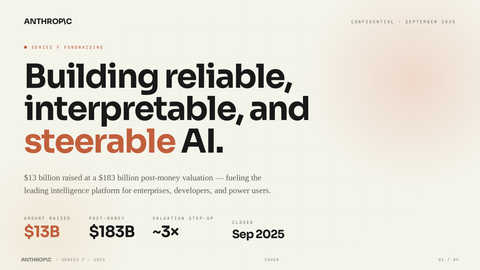
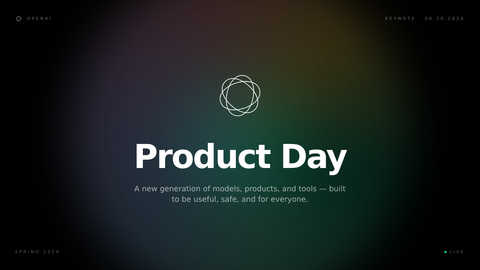
A company update, a training, a workshop, or a talk. Slide builds the deck for that room, then you refine it in chat.


Professionals ship with Slide
Founders, sales teams, consultants, and educators build their most important decks here.

Maya R.
Founder, seed-stage startup
“I described my pitch in two sentences and had a deck I actually sent to investors the same afternoon. The research it did on our market was scarily good.”

Daniel K.
Head of Sales
“My team stopped fighting with text boxes. We paste the proposal brief, get a branded deck, and tweak it by chatting. Proposals go out days faster.”

Sofia M.
Product Manager
“Roadmap reviews used to eat my Sundays. Now I attach the PRD and Slide builds the whole thing — on brand, with real data from the doc.”

James T.
Marketing Director
“It picked up our brand colors and fonts from just the company name. Every deck looks like our design team made it, and they never touched it.”
Maya R.
Founder, seed-stage startup
“I described my pitch in two sentences and had a deck I actually sent to investors the same afternoon. The research it did on our market was scarily good.”
Daniel K.
Head of Sales
“My team stopped fighting with text boxes. We paste the proposal brief, get a branded deck, and tweak it by chatting. Proposals go out days faster.”
Sofia M.
Product Manager
“Roadmap reviews used to eat my Sundays. Now I attach the PRD and Slide builds the whole thing — on brand, with real data from the doc.”
James T.
Marketing Director
“It picked up our brand colors and fonts from just the company name. Every deck looks like our design team made it, and they never touched it.”
Maya R.
Founder, seed-stage startup
“I described my pitch in two sentences and had a deck I actually sent to investors the same afternoon. The research it did on our market was scarily good.”
Daniel K.
Head of Sales
“My team stopped fighting with text boxes. We paste the proposal brief, get a branded deck, and tweak it by chatting. Proposals go out days faster.”
Sofia M.
Product Manager
“Roadmap reviews used to eat my Sundays. Now I attach the PRD and Slide builds the whole thing — on brand, with real data from the doc.”
James T.
Marketing Director
“It picked up our brand colors and fonts from just the company name. Every deck looks like our design team made it, and they never touched it.”
Maya R.
Founder, seed-stage startup
“I described my pitch in two sentences and had a deck I actually sent to investors the same afternoon. The research it did on our market was scarily good.”
Daniel K.
Head of Sales
“My team stopped fighting with text boxes. We paste the proposal brief, get a branded deck, and tweak it by chatting. Proposals go out days faster.”
Sofia M.
Product Manager
“Roadmap reviews used to eat my Sundays. Now I attach the PRD and Slide builds the whole thing — on brand, with real data from the doc.”
James T.
Marketing Director
“It picked up our brand colors and fonts from just the company name. Every deck looks like our design team made it, and they never touched it.”

Noa B.
Management Consultant
“I dropped in a 40-page PDF and it turned the findings into a clear, presentable story. The slides were accurate — it clearly read the whole thing.”

Lucas P.
University Lecturer
“Watching it design the slides live is half the fun. My lecture decks went from bullet-point walls to something students actually screenshot.”

Amelia S.
Agency Owner
“Client-ready in one prompt. We present straight from the browser and export to PowerPoint when clients ask. It paid for itself the first week.”

Omar H.
Data Analyst
“I gave it a URL and a spreadsheet and got a quarterly review deck with the numbers already in the right charts. Genuinely felt like magic.”
Noa B.
Management Consultant
“I dropped in a 40-page PDF and it turned the findings into a clear, presentable story. The slides were accurate — it clearly read the whole thing.”
Lucas P.
University Lecturer
“Watching it design the slides live is half the fun. My lecture decks went from bullet-point walls to something students actually screenshot.”
Amelia S.
Agency Owner
“Client-ready in one prompt. We present straight from the browser and export to PowerPoint when clients ask. It paid for itself the first week.”
Omar H.
Data Analyst
“I gave it a URL and a spreadsheet and got a quarterly review deck with the numbers already in the right charts. Genuinely felt like magic.”
Noa B.
Management Consultant
“I dropped in a 40-page PDF and it turned the findings into a clear, presentable story. The slides were accurate — it clearly read the whole thing.”
Lucas P.
University Lecturer
“Watching it design the slides live is half the fun. My lecture decks went from bullet-point walls to something students actually screenshot.”
Amelia S.
Agency Owner
“Client-ready in one prompt. We present straight from the browser and export to PowerPoint when clients ask. It paid for itself the first week.”
Omar H.
Data Analyst
“I gave it a URL and a spreadsheet and got a quarterly review deck with the numbers already in the right charts. Genuinely felt like magic.”
Noa B.
Management Consultant
“I dropped in a 40-page PDF and it turned the findings into a clear, presentable story. The slides were accurate — it clearly read the whole thing.”
Lucas P.
University Lecturer
“Watching it design the slides live is half the fun. My lecture decks went from bullet-point walls to something students actually screenshot.”
Amelia S.
Agency Owner
“Client-ready in one prompt. We present straight from the browser and export to PowerPoint when clients ask. It paid for itself the first week.”
Omar H.
Data Analyst
“I gave it a URL and a spreadsheet and got a quarterly review deck with the numbers already in the right charts. Genuinely felt like magic.”
FAQ
Can I start from notes I already have?
Yes. Paste the notes or attach the file. The draft uses those facts and leaves a gap where a number is missing.
Does this work for a class or a team update?
Yes. Say who the room is. The deck follows that audience.
Can I export the deck to PowerPoint?
Yes. Present from the browser, or export to PowerPoint (.pptx).